Calendar guide
What is an .ics file?
An .ics file stores calendar information as structured text. Calendar apps use the ICS file format to exchange events, dates, locations and other details. Opening a file can show an event, but you still need to confirm its addition to your calendar.
Inspect a calendar file in three steps
- Keep the original file and open a copy in a plain-text editor or the local ICS viewer. Do not rename another file type to .ics.
- Find the calendar container and each VEVENT block. Compare the title, start time, end time and location with the source message.
- Check the file for common problems, then import it into an editable calendar. Confirm the event date and time in that calendar before relying on it.
Read the ICS format one field at a time
A calendar file uses named properties inside matching BEGIN and END lines. The outer VCALENDAR container identifies the calendar data. Each VEVENT block describes an event. Several event blocks can appear in the same file, so an attachment is not necessarily a single appointment.
Here is a small example for a meeting on 6 November 2026. The event starts at 06:00 UTC and lasts one hour. The identifier is an example; create a fresh identifier for a new event. A production file uses CRLF line endings even when your editor displays ordinary line breaks.
BEGIN:VCALENDAR
VERSION:2.0
PRODID:-//Example//Calendar Notes//EN
BEGIN:VEVENT
UID:2394cf30-17e4-4ba9-a382-6f011fe71035
DTSTAMP:20261027T110000Z
DTSTART:20261106T060000Z
DTEND:20261106T070000Z
SUMMARY:Project review
LOCATION:Meeting room
DESCRIPTION:Bring the revised agenda.
END:VEVENT
END:VCALENDAR
The iCal event maker writes the same basic structure from separate form fields. It also handles unique identifiers, escaping and line folding, which makes it easier to avoid punctuation mistakes.
Understand the ICS file format fields
Each property answers a different question about the event. Keep identifiers separate from the title and keep the creation timestamp separate from the scheduled start.
| Field | Meaning | What to check |
|---|---|---|
| VERSION | Calendar format version | Use 2.0 for this format. |
| PRODID | Identifies the software that produced the data | It is not the event organizer. |
| UID | The event’s identifier | Preserve it when handling the same existing event. |
| DTSTAMP | Timestamp attached to the calendar entry | It is not the meeting time. |
| DTSTART | When the event starts | Confirm the date and time-zone meaning. |
| DTEND | When the event ends | For an all-day event, the end date is exclusive. |
| SUMMARY | The event’s title | Keep it recognizable in a calendar list. |
| LOCATION | Where the event happens | Include enough detail to find the venue. |
| DESCRIPTION | Additional event notes | Avoid private information in shared copies. |
The full standard includes more properties than this table. Invitations can carry organizers, attendees and scheduling methods. Recurring events can carry rules and exceptions. A basic preview may not evaluate those relationships, so a readable title alone does not establish that the whole file is correct.
Compare calendar file types and subscriptions
An ICS file is portable calendar text. A CSV file is a table whose column meanings depend on the importing service. Renaming CSV to ICS does not convert the data. A PDF agenda or screenshot can show dates to a person, but it is not already a structured calendar file.
An imported file is usually a snapshot. A subscription instead gives your calendar a URL to check for updates. Subscribe only to a calendar you trust and understand. Importing a one-off attachment is different from adding a subscription address in account settings.
An invitation adds another distinction: it can ask you to accept or decline, and its organizer can send updates. A single event created by this website does not send meeting requests. Use your calendar’s invitation controls when other people need to respond or receive later changes.
Check times and formatting before import
Time values need context. A trailing Z means UTC. A TZID parameter names a local time zone. A date-time without either is a floating local time. An all-day event uses a date value rather than midnight expressed as a timed event.
Long content lines are normally folded after at most 75 UTF-8 bytes. A continuation begins with a space or tab. That limit counts bytes, so non-English characters can reach it before 75 visible characters. Text values also escape commas, semicolons, backslashes and line breaks.
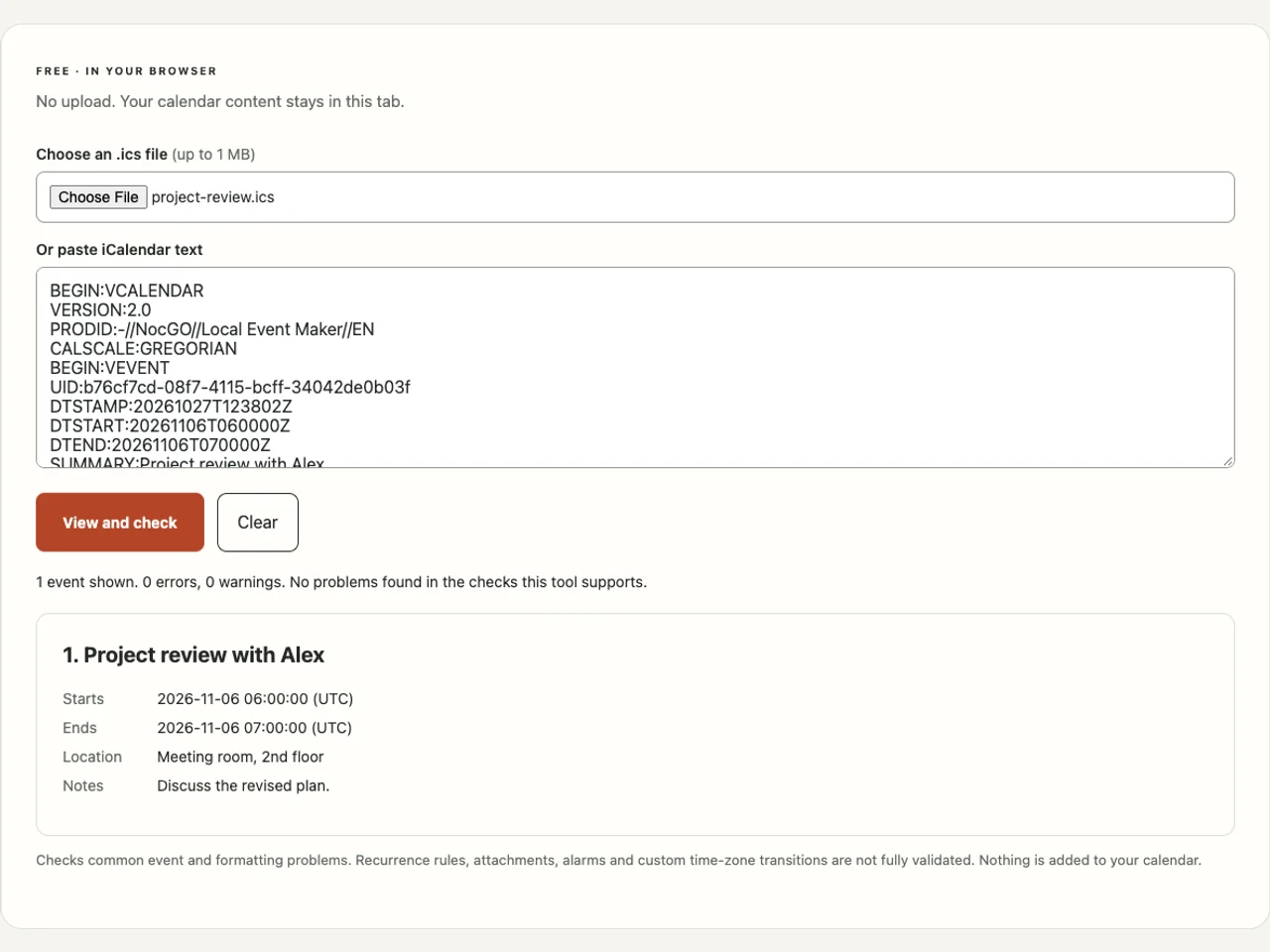
The ICS viewer checks these common issues while showing the event details. Its scope is limited: recurrence expansion and custom time-zone transition rules still require a calendar application. Use open ICS on iPhone when you have a valid file but no obvious import control.
For the underlying rules, consult RFC 5545. Keep a copy of the source invitation before making changes. After import, navigate to the actual event date and confirm the destination account, rather than assuming a preview meant the event was saved.
Frequently asked questions
What does ICS stand for?
The .ics extension identifies an iCalendar file. It is a filename convention for structured calendar text, not a separate calendar service. The file may contain one event or a larger calendar export. The iCalendar standard also defines tasks and other components, although this site’s viewer focuses on events.
Is an ICS file the same as an iCal calendar?
Not exactly. iCalendar is the data format, while a calendar is the collection you view or edit in an app. People also use “iCal” informally for calendar files. Importing a file usually creates local calendar entries; it does not automatically connect you to the sender’s future updates.
Can I read an ICS file without paying for an app?
Yes. A plain-text editor can show its contents, and the local viewer on this site presents common event fields without an account or payment. You do not need to connect a calendar to inspect a file. Adding the event is a separate action in your chosen calendar app.
Why does an ICS event appear at the wrong hour?
Check whether the start uses UTC, a named time zone or floating local time. A UTC value ends in Z and may display as a different local hour. A missing or incorrect zone can move the appointment. Compare the source time and the destination calendar’s settings before saving a correction.
Last updated: