
Free browser tool
iCal event maker: turn plain text into a calendar file
Use this iCal event maker to turn a title, date, time and notes into an .ics file. Review the fields, create the file, then import it into your calendar. Everything you enter stays in this browser tab.
No upload. Your calendar content stays in this tab.
Your calendar file
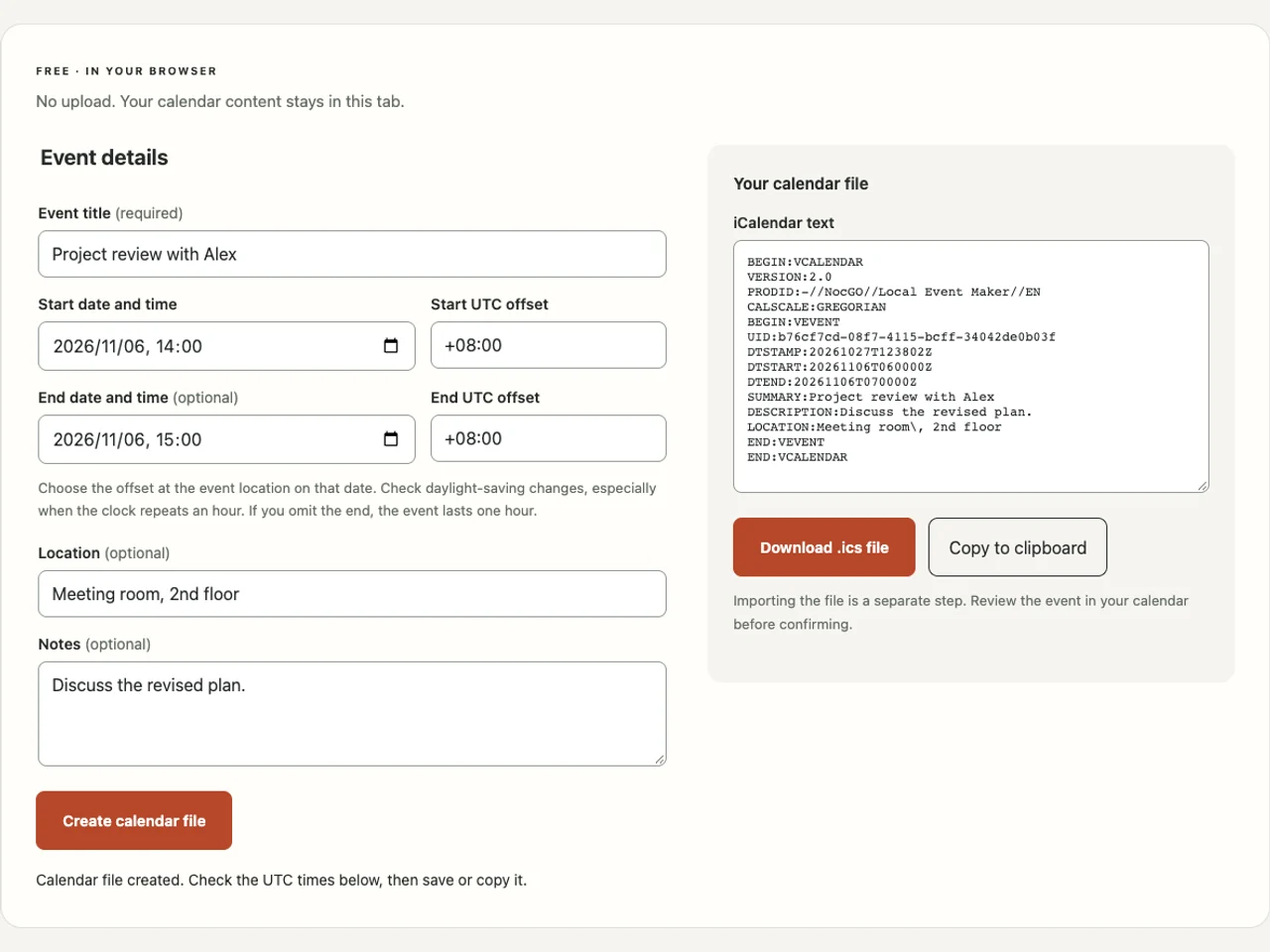
Fill in the event details, then create your file. You can inspect the result before saving it.
Importing the file is a separate step. Review the event in your calendar before confirming.
Make an iCal event in three steps
- Paste your event title and notes into the matching fields. Choose a start date and time; add a location if people need directions.
- Check the UTC offset at the event location on that date. Add an end time and its offset, or leave it blank for a one-hour event.
- Select Create calendar file. Inspect the generated text, then download the .ics file or copy it. Open your calendar and confirm the import separately.
What is an iCal (.ics) file?
An .ics file is a text document that calendar apps can read as an event. It carries a title, dates, location and notes. The extension does not make it a live subscription or a shared calendar.
This iCal event maker writes one timed event. It includes a unique identifier, a creation timestamp and UTC start and end times. Notes and locations are escaped so punctuation stays inside the right field. Long lines are folded without splitting a Unicode character. The format follows the event structure in RFC 5545.
Read the ICS file format guide to understand those fields before editing the result. Use the ICS viewer to inspect the saved file and check common formatting problems.
Set the time deliberately
Choose the offset for the place and date of the event. Your browser suggests the device’s offset, which may not match a remote meeting. If clocks change during the event, the end can need a different offset. For a repeated autumn hour, choose which occurrence you mean. The tool uses your explicit offsets and does not resolve an ambiguous location for you.
The optional end defaults to one hour after the start. That is a convenience for creating a file, not information inferred from your notes. Replace it when a booking gives a different duration. An end before the start is rejected; a genuine overnight event needs the next date.
iCal event file vs. calendar invitation
A file is a snapshot; an invitation is part of a conversation between calendars. Saving this file does not notify a guest. Changing its text afterward does not update an imported copy. There are no attendee addresses or reply controls in this generator.
For a meeting with colleagues, create the meeting in the account you use for work, then add guests there. For a personal appointment or a one-off schedule you want to send yourself, an event file can be enough. Keep confidential notes out of any file you plan to share.
Import the .ics file into iPhone Calendar
Apple documents importing calendar files from Mail. Open the attachment in Apple Mail, review the event, choose an editable calendar and confirm adding. A file opened from Safari or Files may show a preview without an Add control. The available action depends on the app and system version.
Follow open ICS on iPhone for the separate Mail, Safari and Files paths. For Google Calendar, use its desktop import instructions. A successful file save here does not prove that any calendar accepted the event.
Why we built this as a web tool
Sometimes you already have all the details and only need a portable calendar file. Requiring another account or an image upload would add work. This page keeps the form, generated text and file creation together, and lets you clear everything by closing the tab.
The create ICS from text guide explains the manual alternative. If your starting point is an image, NocGO focuses on turning selected screenshot content into editable calendar and reminder drafts. Its cloud recognition is a separate app workflow; this browser generator does not use it.
Frequently asked questions
Is this iCal event maker free?
Yes. Creating, copying and saving a calendar file here is free, and no account is required. The tool runs in your browser without sending your event fields to a server. Following NocGO product updates is optional and separate from using this tool.
Can I paste a sentence and let the tool find the date?
You need to choose the date and time yourself. The title and notes accept plain text, but this tool does not guess what “next Friday” means. Explicit dates help you catch ambiguity before import. For screenshots, NocGO prepares drafts that you review before saving.
Why does the file show a different time from the form?
The file stores UTC, so its clock time can differ from the local time you entered. For example, 14:00 at UTC+08:00 becomes 06:00Z. Calendar apps normally display that instant in their selected time zone. Check the offset for the event date, especially around daylight-saving changes.
Can this file invite people or update their calendars?
No. This tool creates one independent event file. It does not send invitations, collect replies or synchronize later changes. Use your calendar’s meeting invitation feature for attendees and updates. Importing the same file again may create a duplicate, so check your calendar before repeating the import.
Last updated: